Introduction
The internet has become an essential part of everyday life. People use online services for banking, shopping, communication, entertainment, education, remote work, and business. However, increased internet usage also creates growing privacy and security risks. Cybercriminals can target personal information, passwords, financial details, devices, and online accounts.
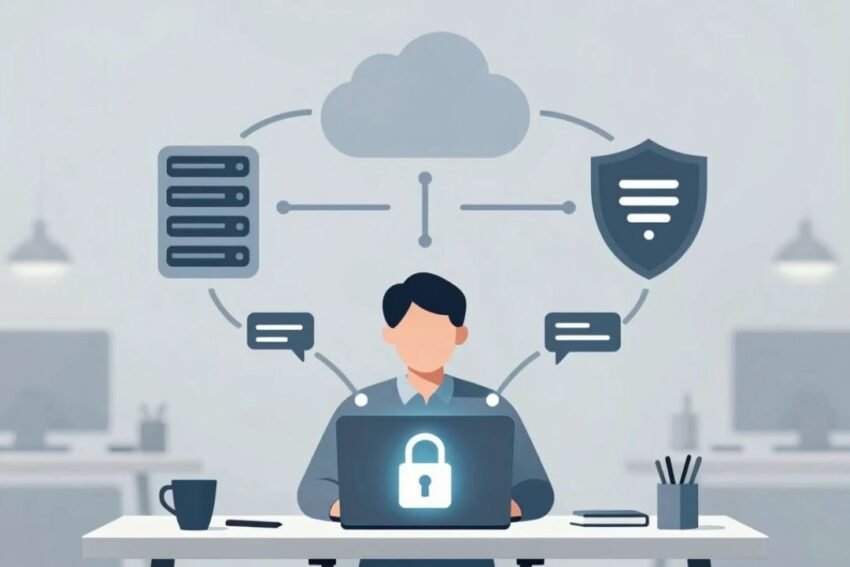
This is where VPNs and online security become important. A Virtual Private Network, commonly known as a VPN, can encrypt internet traffic and provide an additional layer of privacy when users connect to the internet. Online security, meanwhile, includes a much broader range of technologies and practices designed to protect users, devices, accounts, and data.
Understanding how VPNs work, what they can protect, and what they cannot protect is essential for anyone who wants to browse the internet more safely.
What Is a VPN?
A VPN (Virtual Private Network) is a technology that creates an encrypted connection between a user’s device and a VPN server.
Normally, when you access a website, your internet traffic travels through your internet service provider and then to the destination server. A VPN adds an intermediary server and encrypts the connection between your device and the VPN service.
This can help protect sensitive traffic from certain forms of network monitoring, particularly when using untrusted networks.
A VPN can also make websites see the VPN server’s IP address instead of the user’s normal public IP address.
However, a VPN is not a complete online security solution. Users still need strong passwords, updated software, secure websites, and other security practices.
How Does a VPN Work?
A VPN generally works through several basic steps.
First, you install a VPN application on a compatible device such as a computer, smartphone, or tablet.
When you connect to a VPN server, the application establishes an encrypted tunnel between your device and the VPN provider’s server.
Your internet traffic travels through this encrypted connection before reaching the wider internet.
The destination website generally sees the VPN server’s public IP address rather than your original IP address.
This process can provide additional privacy and security, especially when using public or unfamiliar networks.
VPN Encryption
Encryption converts readable information into a form that is difficult for unauthorized parties to understand.
Modern VPN services can use strong encryption protocols to protect traffic between your device and the VPN server.
Encryption is particularly useful when sensitive information is being transmitted over networks that you do not fully control.
However, encryption does not automatically make every website or application safe.
Why Is Online Security Important?
Online security protects more than internet traffic.
Cybersecurity threats can include:
- Phishing attacks
- Malware
- Ransomware
- Password theft
- Identity theft
- Account takeovers
- Data breaches
- Fake websites
- Spyware
- Social engineering
- Unsafe applications
A VPN may help protect network traffic, but it cannot stop every one of these threats.
For example, if a user enters a password into a fake website, the VPN cannot determine that the website is fraudulent and prevent the user from submitting the information.
This is why VPN protection should be considered one part of a broader online security strategy.
VPNs and Public Wi-Fi Security
Public Wi-Fi networks are commonly available in airports, hotels, restaurants, cafes, libraries, and other public locations.
These networks can be convenient, but users should avoid assuming that every public Wi-Fi connection is trustworthy.
A VPN can encrypt traffic between the device and the VPN server, adding protection when connecting through an untrusted network.
Users should still follow other security practices.
For example:
- Avoid accessing sensitive accounts when unnecessary.
- Verify the official Wi-Fi network name.
- Keep device software updated.
- Use HTTPS websites.
- Enable multi-factor authentication.
- Turn off automatic connection to unknown Wi-Fi networks.
A VPN is useful, but secure browsing habits remain important.
VPNs and Privacy
One of the main reasons people use VPN services is to improve online privacy.
A VPN can hide a user’s IP address from the websites they visit by routing traffic through the VPN server.
This can make the VPN server’s location appear to be the source of the connection.
However, users should understand an important limitation.
A VPN provider may be able to observe certain information about connections passing through its infrastructure. Therefore, choosing a trustworthy VPN provider is important.
Users should review a provider’s privacy policy, logging practices, security features, reputation, and business model before using the service.
VPN vs Proxy
VPNs and proxies can both route internet traffic through another server, but they are not identical.
A proxy often works at the application level, meaning it may affect traffic from a particular application or browser.
A VPN generally creates a broader encrypted connection that can protect traffic from multiple applications on the device.
The exact behavior depends on the VPN or proxy technology being used.
For users looking for broader network-level privacy and encryption, a VPN is generally more comprehensive than a basic proxy.
VPN vs Antivirus
VPNs and antivirus software solve different security problems.
A VPN primarily focuses on network privacy and encrypted connections.
Antivirus and endpoint security software focuses on detecting and blocking malicious software and suspicious activity.
For example, a VPN may help protect network traffic, while antivirus software may detect malware installed on a computer.
Using both technologies can provide complementary protection.
VPN vs Firewall
A firewall controls or monitors network connections according to security rules.
Firewalls can help prevent unauthorized network access and restrict suspicious connections.
A VPN, in contrast, focuses primarily on creating a protected connection between the device and VPN infrastructure.
Both technologies can contribute to online security, but they serve different purposes.
Important VPN Security Features
When choosing a VPN, users should consider several security features.
Strong Encryption
A reputable VPN should use modern encryption standards to protect network traffic.
Secure VPN Protocols
VPN protocols determine how the encrypted connection is established and maintained.
Common modern approaches include protocols designed to provide a balance between security, performance, and reliability.
Kill Switch
A VPN kill switch can prevent internet traffic from continuing outside the VPN connection if the VPN unexpectedly disconnects.
This can be particularly useful for users who require consistent VPN protection.
DNS Leak Protection
DNS requests can potentially reveal information about websites a user is accessing.
VPN services may offer DNS leak protection to help route DNS requests through the VPN connection.
Multi-Platform Support
Many users have multiple devices, including laptops, smartphones, tablets, and other connected devices.
A VPN that supports multiple platforms can make security management easier.
How to Choose a Secure VPN
Choosing a VPN requires more than looking at price.
Consider the following factors.
Privacy Policy
Read the provider’s privacy policy and understand what information it collects.
Logging Practices
Look for clear information about connection and activity logging.
Security Technology
Check whether the provider uses modern protocols, encryption, leak protection, and other security features.
Speed
VPN encryption and routing can affect connection performance. A quality VPN should provide reasonable speeds for everyday activities.
Server Network
A large and well-maintained server network can provide more connection options.
Device Support
Check whether the VPN supports your operating systems and devices.
Reputation
Research independent reviews, security incidents, company history, and user experiences before making a decision.
VPNs and Streaming
Some people use VPNs to connect through servers in different locations for privacy or access purposes.
However, streaming platforms may restrict or block VPN connections, and their terms of service can vary.
Users should check the applicable service rules before attempting to access content through a VPN.
VPN performance can also affect streaming quality because traffic may travel through additional network infrastructure.
VPNs for Remote Work
Remote workers often access company systems from home, hotels, cafes, and other locations.
Businesses may use VPN technology to provide employees with secure access to internal resources.
However, modern businesses increasingly combine VPNs with other technologies such as:
- Multi-factor authentication
- Zero Trust Network Access
- Endpoint security
- Identity management
- Secure access service edge
- Cloud security
A VPN alone may not provide sufficient protection for a modern enterprise environment.
VPNs and Mobile Security
Smartphones contain highly sensitive information, including messages, photographs, financial applications, passwords, and personal accounts.
Using a VPN on a mobile device can provide additional protection for internet traffic, particularly when connecting through public Wi-Fi.
However, users should also:
- Install security updates.
- Download apps from trusted sources.
- Use screen locks.
- Enable multi-factor authentication.
- Review application permissions.
- Avoid suspicious links.
- Keep device backups.
Mobile security requires more than a VPN connection.
Common VPN Mistakes
Several mistakes can reduce the benefits of VPN usage.
Using an Untrusted Free VPN
Some free VPN services may have questionable privacy practices or limited security features.
Users should investigate how a provider makes money and what data it collects.
Assuming a VPN Provides Complete Anonymity
A VPN can improve privacy, but it does not make users completely anonymous.
Websites, cookies, browser fingerprinting, account logins, and other tracking technologies can still identify or recognize users.
Ignoring Software Updates
A VPN cannot fix vulnerabilities in an outdated operating system or application.
Keeping software updated is essential.
Using Weak Passwords
A VPN does not protect an account if the account password is easily compromised.
Use strong, unique passwords and a password manager where appropriate.
How to Improve Online Security Beyond a VPN
A strong online security strategy should include multiple layers.
Use Multi-Factor Authentication
MFA adds an additional verification step when logging into an account.
Use Strong Passwords
Create unique passwords for important accounts.
Keep Software Updated
Security updates frequently address known vulnerabilities.
Watch for Phishing
Do not click suspicious links or provide sensitive information to unverified websites.
Use Secure Websites
Look for HTTPS connections when entering sensitive information.
Back Up Important Data
Regular backups can reduce the impact of hardware failures, ransomware, or accidental deletion.
Secure Your Router
Change default administrator credentials and use modern Wi-Fi security settings.
The Future of VPNs and Online Security
The future of online security is likely to become increasingly intelligent and automated.
Artificial intelligence can help security systems identify unusual activity, detect threats, and respond more quickly.
VPN technology is also evolving alongside broader security approaches such as Zero Trust, cloud security, identity-based access, and secure access technologies.
Future privacy tools may increasingly combine:
- AI-powered threat detection
- Automated security monitoring
- Identity protection
- Advanced encryption
- Secure DNS
- Passwordless authentication
- Zero Trust access
- Endpoint security
- Cloud security
As more devices become connected, protecting online identities and data will become increasingly important.
Benefits of Using a VPN
A VPN can provide several useful benefits:
- Encrypts network traffic
- Adds protection on untrusted networks
- Masks the user’s public IP address from destination websites
- Provides additional privacy
- Supports secure remote access
- Helps protect certain network communications
- Can provide flexible server locations
However, these benefits depend on the VPN service, configuration, device, and use case.
Limitations of VPNs
VPNs also have limitations.
A VPN cannot guarantee complete anonymity.
It cannot automatically protect against phishing.
It cannot remove malware from a device.
It cannot guarantee that a website is legitimate.
It cannot make weak passwords secure.
It cannot replace antivirus, endpoint security, backups, or multi-factor authentication.
Understanding these limitations helps users build a more realistic and effective security strategy.
Best Online Security Checklist
For better online protection, users should consider this basic checklist:
- Use a reputable VPN when appropriate.
- Enable multi-factor authentication.
- Use strong and unique passwords.
- Keep operating systems updated.
- Install security updates promptly.
- Avoid suspicious links and attachments.
- Use secure websites.
- Protect home Wi-Fi networks.
- Back up important files.
- Review application permissions.
- Use trusted security software.
- Monitor important accounts for unusual activity.
Conclusion
VPNs and online security are increasingly important in a connected digital world. A VPN can encrypt internet traffic, provide additional privacy, and help protect users when they connect through untrusted networks.
However, a VPN should not be viewed as a complete cybersecurity solution. Effective online protection requires multiple layers, including strong passwords, multi-factor authentication, updated software, secure devices, phishing awareness, backups, and reputable security tools.
As cyber threats continue to evolve, online security will increasingly combine VPN technology with artificial intelligence, Zero Trust security, identity protection, cloud security, and automated threat detection.
For everyday users, the most important approach is to understand what a VPN actually does and combine it with responsible digital habits. Businesses should go further by implementing comprehensive cybersecurity policies, identity controls, endpoint protection, network monitoring, and secure access technologies.
Ultimately, VPNs are valuable privacy and security tools, but they work best as one part of a broader online security strategy. By combining VPN protection with strong cybersecurity practices, users can reduce their exposure to common threats and build a safer, more private digital experience.