Introduction
Online threats are becoming increasingly sophisticated as more people use the internet for banking, shopping, communication, remote work, entertainment, education, and business. Cybercriminals can target passwords, personal information, financial data, devices, and online accounts through malware, phishing, ransomware, spyware, and other attacks.
Two technologies commonly associated with online protection are VPNs and antivirus software. While both can improve digital security, they are designed to solve different problems.
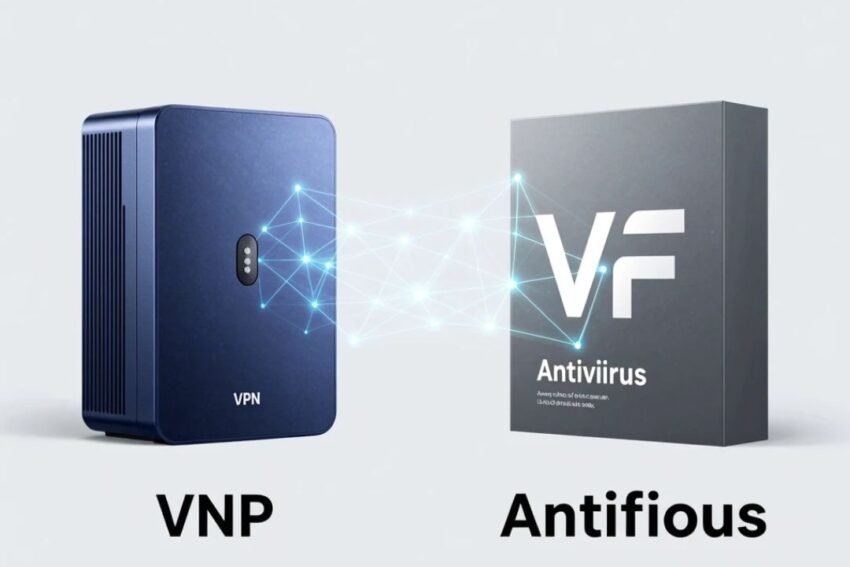
A VPN primarily protects internet traffic by creating an encrypted connection between a device and a VPN server. Antivirus software focuses on detecting, blocking, and removing malicious software from devices.
Understanding the difference between a VPN vs antivirus can help users build a stronger cybersecurity strategy and choose the right protection for their needs.
What Is a VPN?
A VPN, or Virtual Private Network, creates an encrypted connection between a device and a VPN server.
When a user connects to a VPN, internet traffic is routed through the VPN server. This can help protect certain network communications from unauthorized observation and can make websites see the VPN server’s IP address rather than the user’s normal public IP address.
VPNs are commonly used for:
- Online privacy
- Secure browsing
- Public Wi-Fi protection
- Remote work
- Secure network access
- IP address privacy
- Encrypted internet connections
However, a VPN does not automatically protect a device from malware.
What Is Antivirus Software?
Antivirus software is designed to detect, block, quarantine, and remove malicious software.
Modern antivirus and endpoint security products can protect against different forms of malicious activity, including:
- Viruses
- Trojans
- Spyware
- Ransomware
- Worms
- Malicious applications
- Suspicious scripts
- Potentially unwanted programs
Modern security software often uses behavioral analysis, cloud-based threat intelligence, machine learning, and real-time monitoring rather than relying only on traditional virus signatures.
VPN vs Antivirus: The Main Difference
The simplest distinction is:
A VPN protects your internet connection and privacy, while antivirus protects your device from malicious software.
A VPN focuses primarily on network traffic.
Antivirus focuses primarily on the security of the device and the files or applications running on it.
These technologies are therefore complementary rather than direct replacements for each other.
VPN vs Antivirus Comparison
| Feature | VPN | Antivirus |
|---|---|---|
| Encrypts internet traffic | Yes | Usually no |
| Hides public IP address | Yes | No |
| Protects against malware | No | Yes |
| Detects malicious files | No | Yes |
| Helps protect public Wi-Fi | Yes | Limited |
| Blocks ransomware | No | Yes, depending on product |
| Protects online privacy | Yes | Limited |
| Removes malware | No | Yes |
| Protects device files | No | Yes |
| Replaces the other technology | No | No |
The comparison shows why using only one security tool may leave important gaps.
How a VPN Protects You
A VPN creates an encrypted tunnel between your device and the VPN server.
This can be particularly useful when using networks that you do not fully trust.
For example, imagine connecting to public Wi-Fi at a hotel or cafe. A VPN can provide an additional layer of protection by encrypting traffic between your device and the VPN server.
A VPN can also hide your public IP address from websites you visit.
However, websites can still track users through other methods such as:
- Cookies
- Browser fingerprinting
- Account logins
- Advertising identifiers
- Tracking scripts
Therefore, a VPN should not be considered a complete anonymity solution.
How Antivirus Protects You
Antivirus software works differently.
It monitors files, applications, processes, and other activity on a device to identify potentially malicious behavior.
Depending on the security product, protection can include:
- Real-time scanning
- Malware detection
- Behavioral monitoring
- Web protection
- Email protection
- Ransomware protection
- Malicious download blocking
- Quarantine
- Threat removal
Modern endpoint security systems may also monitor suspicious activity across applications and system processes.
VPN and Malware Protection
A common misconception is that a VPN protects against malware.
It generally does not.
Suppose you receive an email containing a malicious attachment. If you download and open the attachment, the VPN cannot necessarily determine whether the file contains malware.
Similarly, if you visit a fake website and voluntarily download a malicious application, the VPN does not automatically remove the malware from your computer.
Antivirus and endpoint security tools are designed for this type of threat.
Antivirus and Internet Privacy
Antivirus software can provide some privacy-related protection, particularly when it blocks malicious websites, spyware, or suspicious applications.
However, antivirus software is not designed primarily to hide your IP address or encrypt all internet traffic.
If your main goal is protecting network privacy, a VPN can provide capabilities that antivirus software does not.
VPN for Public Wi-Fi
Public Wi-Fi is one of the most common situations where VPN technology can be useful.
People often connect to Wi-Fi networks in:
- Airports
- Hotels
- Cafes
- Restaurants
- Libraries
- Shopping centers
- Conference venues
A VPN can encrypt traffic between the device and VPN server.
However, users should still verify the correct Wi-Fi network, avoid suspicious websites, use HTTPS, enable MFA, and keep their devices updated.
Antivirus for Public Wi-Fi
Antivirus software can still be useful when connected to public Wi-Fi.
It can help detect malicious files or suspicious applications that reach the device.
However, antivirus software does not provide the same network encryption function as a VPN.
This is another example of how the two technologies complement each other.
VPN vs Antivirus for Ransomware
Ransomware is malware that can encrypt files or disrupt access to systems until attackers demand payment.
A VPN does not normally provide direct ransomware protection.
Antivirus and endpoint security software can detect certain ransomware behaviors and potentially block malicious processes.
However, no security tool provides perfect protection.
Users should also maintain reliable backups, keep systems updated, use strong authentication, and avoid suspicious attachments and links.
VPN vs Antivirus for Phishing
Phishing attacks attempt to trick users into revealing information or performing dangerous actions.
For example, a fake website may imitate a banking service and ask for login credentials.
A VPN cannot automatically determine that every fake website is malicious.
Security software may provide web protection that warns users about known malicious websites.
However, user awareness remains extremely important.
Always verify website addresses before entering passwords or financial information.
VPN vs Antivirus for Online Banking
Online banking requires multiple layers of protection.
A VPN may encrypt network traffic and provide additional privacy, particularly on untrusted networks.
Antivirus software can help protect the device from malware that could potentially compromise sensitive information.
Users should also:
- Enable MFA
- Use strong passwords
- Keep banking applications updated
- Avoid suspicious links
- Use official banking websites and apps
- Monitor account activity
Security should never depend on one tool.
VPN vs Antivirus for Remote Work
Remote employees often access company systems from different locations.
A VPN can provide secure connectivity to business resources.
Antivirus or endpoint detection software can protect the employee’s device from malware and suspicious activity.
Businesses may combine VPNs with:
- Multi-factor authentication
- Endpoint protection
- Zero Trust
- Identity management
- Network segmentation
- Security monitoring
- Data loss prevention
This layered approach can reduce security risks.
VPN vs Antivirus for Smartphones
Smartphones contain valuable information such as:
- Photos
- Messages
- Banking applications
- Emails
- Passwords
- Contacts
- Work documents
A mobile VPN can provide additional protection for internet traffic, especially on unfamiliar Wi-Fi networks.
Mobile antivirus or security applications can provide protection against malicious applications, suspicious websites, and other mobile threats.
Users should also download apps only from trusted sources and carefully review application permissions.
Does a VPN Replace Antivirus?
No.
A VPN does not replace antivirus software.
A VPN focuses on network privacy and encrypted connections.
Antivirus focuses on malicious software and device security.
If a computer becomes infected with ransomware, changing VPN servers will not remove the ransomware.
Similarly, antivirus software cannot provide the same network-level privacy features as a VPN.
Does Antivirus Replace a VPN?
No.
Antivirus software does not normally encrypt all internet traffic or hide a user’s public IP address.
If you want additional privacy when browsing through an unfamiliar network, antivirus software alone may not provide the same protection as a VPN.
Why You May Need Both
Using a VPN and antivirus together can create multiple layers of protection.
For example:
VPN → Protects network traffic
Antivirus → Protects the device
MFA → Protects accounts
Backup → Protects important data
Security awareness → Protects against social engineering
This layered model is more effective than relying on one technology.
Important VPN Security Features
If you are choosing a VPN, look for features such as:
Strong Encryption
Modern encryption helps protect network traffic from unauthorized observation.
Kill Switch
A kill switch can prevent normal internet traffic from continuing if the VPN connection fails.
DNS Leak Protection
This can help keep DNS requests within the VPN connection.
Secure Protocols
Choose a provider that supports modern, well-maintained VPN protocols.
Privacy Policy
Understand what information the VPN provider collects and how it handles user data.
Important Antivirus Features
When choosing antivirus software, consider:
Real-Time Protection
Real-time monitoring can detect threats while you use the device.
Malware Detection
The software should identify common types of malicious software.
Ransomware Protection
Specialized ransomware defenses can help protect important files.
Web Protection
Web security can warn users about malicious websites.
Behavioral Detection
Modern security products can identify suspicious activity even when a specific malware signature is not available.
Automatic Updates
Threat databases and security engines need regular updates.
VPN vs Antivirus: Which One Should You Choose?
The answer depends on your goal.
Choose a VPN if your main concern is:
- Network privacy
- Public Wi-Fi
- IP address privacy
- Encrypted internet traffic
- Secure remote connections
Choose antivirus software if your main concern is:
- Malware
- Ransomware
- Malicious applications
- Suspicious files
- Device security
For comprehensive protection, many users can benefit from using both.
Common Security Mistakes
Users often make mistakes by assuming that one tool solves every security problem.
Mistake 1: Assuming a VPN Provides Complete Security
A VPN cannot stop every cyberattack.
Mistake 2: Using Only Antivirus
Antivirus does not necessarily provide network privacy or encrypted VPN connections.
Mistake 3: Ignoring Software Updates
Outdated applications can contain security vulnerabilities.
Mistake 4: Using Weak Passwords
Security tools cannot make a weak password strong.
Mistake 5: Ignoring MFA
Multi-factor authentication provides an important additional security layer.
Mistake 6: Clicking Suspicious Links
User behavior remains an important part of cybersecurity.
Building a Complete Online Security Strategy
A strong security strategy should combine multiple layers.
1. Use Strong Passwords
Use unique passwords for important accounts.
2. Enable Multi-Factor Authentication
MFA can protect accounts even if passwords are compromised.
3. Use Antivirus or Endpoint Security
Protect computers and smartphones from malicious software.
4. Use a VPN When Appropriate
Protect network traffic and add privacy when using untrusted networks.
5. Keep Software Updated
Install operating-system and application security updates.
6. Maintain Backups
Back up important documents and files regularly.
7. Learn to Recognize Phishing
Be cautious with unexpected messages, attachments, and links.
8. Secure Your Home Network
Use strong router credentials and modern Wi-Fi security.
The Future of VPN and Antivirus Security
Cybersecurity technologies are increasingly converging.
Modern security platforms are using artificial intelligence, cloud-based threat intelligence, behavioral analysis, identity protection, and automated response.
Future security solutions may combine:
- VPN capabilities
- Endpoint protection
- AI threat detection
- Identity security
- Secure DNS
- Zero Trust access
- Cloud security
- Automated threat response
This means the traditional distinction between individual security products may become less obvious.
Instead of managing many separate tools, users and businesses may increasingly use integrated security platforms.
AI in Online Security
Artificial intelligence is becoming increasingly important in cybersecurity.
AI can help analyze large amounts of security data and identify unusual behavior.
Potential applications include:
- Malware detection
- Phishing detection
- Network anomaly detection
- Account takeover detection
- Automated security alerts
- Threat intelligence
- Behavioral analysis
However, attackers can also use AI to develop more sophisticated attacks.
As a result, cybersecurity will increasingly involve AI-powered defense against AI-assisted threats.
VPN vs Antivirus: Final Comparison
The easiest way to remember the difference is:
VPN = Protects your connection and privacy
Antivirus = Protects your device and files
Neither technology completely replaces the other.
A VPN can be valuable when using public Wi-Fi, accessing remote resources, or seeking additional network privacy.
Antivirus can be valuable for protecting against malware, ransomware, malicious applications, and suspicious files.
Together with MFA, secure passwords, software updates, backups, and security awareness, they can form a much stronger online security strategy.
Conclusion
Understanding VPN vs antivirus is essential for building effective online security. Although both technologies are associated with cybersecurity, they perform very different functions.
A VPN primarily protects internet traffic by creating an encrypted connection and can provide additional privacy by routing traffic through a VPN server. Antivirus software focuses on protecting devices from malware, ransomware, spyware, malicious applications, and other threats.
The best approach is not to choose one technology and ignore the other. Instead, users should build multiple layers of protection.
A strong cybersecurity setup can include a reputable VPN, reliable antivirus or endpoint security, multi-factor authentication, strong passwords, updated software, secure Wi-Fi, regular backups, and awareness of phishing attacks.
As cyber threats continue to evolve, VPNs and antivirus technologies will also become more intelligent through AI, automation, cloud security, identity protection, and Zero Trust architectures.
Ultimately, a VPN protects the road your data travels on, while antivirus helps protect the device carrying that data. Using both technologies appropriately can help individuals and businesses create a safer, more private, and more resilient digital environment.