Introduction
The terms internet and networking are often used together, but they do not mean exactly the same thing. Both are essential parts of modern technology, and understanding their differences can help users, businesses, students, and IT professionals better understand how digital communication works.
Networking is the process of connecting computers, smartphones, servers, routers, printers, and other devices so they can communicate and share resources. The internet, on the other hand, is a massive global system that connects millions of networks around the world.
Every time you visit a website, send an email, stream a video, play an online game, join a video meeting, or use a cloud application, networking technologies are working in the background.
Modern networking includes technologies such as Ethernet, Wi-Fi, fiber optics, 5G, cloud networking, VPNs, edge computing, software-defined networking, and network security.
This guide explains the difference between the internet and networking, how each works, their main technologies, benefits, challenges, and why both are important for the future of digital communication.
What Is Networking?
Networking refers to the process of connecting two or more devices so they can exchange information and share resources.
A network can be extremely small or very large.
For example, a home network might connect:
- Smartphones
- Laptops
- Smart TVs
- Printers
- Gaming consoles
- Security cameras
- Smart appliances
A business network can connect hundreds or thousands of devices across offices, data centers, and cloud environments.
Networking provides the infrastructure needed for communication between these devices.
What Is the Internet?
The internet is a worldwide system of interconnected networks.
It connects:
- Home networks
- Business networks
- Data centers
- Universities
- Government networks
- Cloud platforms
- Mobile networks
- Internet service providers
The internet allows devices connected to different networks to communicate with each other using standardized protocols.
In simple terms:
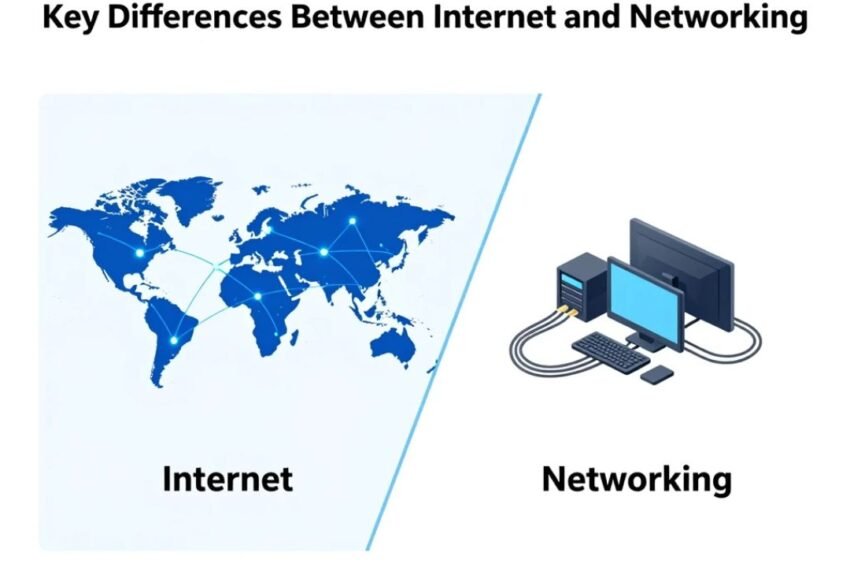
Networking connects devices.
The internet connects networks.
Internet vs Networking: The Basic Difference
The easiest way to understand the difference is to think about scale.
Networking can exist without the public internet.
For example, a home network can allow a laptop to communicate with a printer even if the internet connection is disconnected.
Similarly, computers inside an organization can communicate through a private network without directly accessing the public internet.
The internet is a global network made up of many interconnected networks.
Internet vs Networking Comparison
| Feature | Networking | Internet |
|---|---|---|
| Meaning | Connecting devices | Connecting networks globally |
| Scope | Local or global | Worldwide |
| Example | Home Wi-Fi | Global web access |
| Main purpose | Communication and resource sharing | Global communication and information access |
| Infrastructure | Routers, switches, cables, access points | ISPs, backbone networks, data centers |
| Can work without public internet? | Yes | No |
| Common technologies | Ethernet, Wi-Fi, LAN | TCP/IP, DNS, HTTP, BGP |
This distinction is important because not every network is part of the public internet.
How Networking Works
Networking depends on hardware, software, protocols, and communication rules.
A basic network may include:
- Network devices
- Transmission media
- Network protocols
- IP addresses
- Routing
- Security controls
When one device sends data, the network determines where that information needs to go.
Switches can forward data within local networks, while routers can move traffic between different networks.
How the Internet Works
The internet works by connecting many independent networks.
A simplified process looks like this:
- A user sends a request from a device.
- The device connects to a local network.
- A router forwards the traffic.
- The internet service provider receives the traffic.
- Routing systems determine where the data should go.
- The destination network receives the request.
- The server processes the request.
- Data is sent back to the user.
This process happens very quickly.
Local Area Networks
A Local Area Network (LAN) connects devices within a limited area.
Common examples include:
- Homes
- Offices
- Schools
- Small businesses
LANs can use Ethernet cables, Wi-Fi, or a combination of technologies.
A LAN can operate without an internet connection.
For example, two computers can share files over a local network even when the internet is unavailable.
Wide Area Networks
A Wide Area Network (WAN) connects networks across large geographical areas.
Businesses may use WAN technologies to connect offices in different cities or countries.
The internet is the world’s largest example of interconnected wide-area networks.
WAN infrastructure can use:
- Fiber
- Dedicated connections
- Cellular networks
- Satellite links
- Internet connections
Home Networking
Most homes use a small local network.
A typical setup may include:
Internet connection → Router → Wi-Fi/Ethernet → Connected devices
The router often provides multiple functions, including:
- Routing
- Wi-Fi
- DHCP
- Network address translation
- Basic firewall protection
Modern routers may also include parental controls, security features, device monitoring, and mesh networking capabilities.
Business Networking
Businesses rely heavily on networking.
A business network can support:
- Employee computers
- Servers
- Cloud applications
- Printers
- Security systems
- VoIP phones
- Databases
- Wireless devices
Large organizations may use multiple network segments to separate different types of traffic.
Network segmentation can also improve security.
Networking Hardware
Several hardware components are essential to modern networks.
Router
A router connects different networks and directs traffic.
Switch
A switch connects devices within a local network.
Access Point
A wireless access point provides Wi-Fi connectivity.
Modem
A modem or similar access device connects a local environment to certain types of internet service.
Firewall
A firewall controls network traffic according to security rules.
Modern devices may combine several of these functions into one system.
Wired Networking
Wired networks use physical cables.
Ethernet is one of the most widely used wired networking technologies.
Advantages can include:
- Reliable connection
- Low latency
- High performance
- Reduced wireless interference
- Stable connectivity
Wired networking is often preferred for servers, desktop computers, gaming systems, and business infrastructure.
Wireless Networking
Wireless networking allows devices to communicate without physical network cables.
Wi-Fi is the most common wireless networking technology.
Wireless networks provide:
- Mobility
- Convenience
- Flexible installation
- Easy device connectivity
However, wireless performance can be affected by:
- Distance
- Walls
- Interference
- Congestion
- Router placement
Fiber Internet and Networking
Fiber-optic technology uses light to transmit data.
Fiber can provide:
- High bandwidth
- Low latency
- Long-distance communication
- Reliable performance
Fiber is widely used in internet backbone infrastructure, data centers, broadband networks, and business connections.
5G Networking
5G provides advanced wireless connectivity for mobile devices and other applications.
It can support:
- Smartphones
- IoT
- Connected vehicles
- Smart cities
- Industrial systems
- Fixed wireless broadband
5G is part of networking infrastructure that can connect devices to broader networks and internet services.
Cloud Networking
Cloud networking allows organizations to build and manage network infrastructure through cloud platforms.
Cloud networks can provide:
- Virtual networks
- Remote access
- Load balancing
- Security controls
- Automated scaling
- Global connectivity
Cloud networking has become increasingly important as companies move applications and data into cloud environments.
The Role of Internet Service Providers
An Internet Service Provider (ISP) provides users and organizations with access to the internet.
ISPs may use:
- Fiber
- Cable
- DSL
- Wireless networks
- Satellite
- Other technologies
The ISP connects a customer’s local network to larger internet networks.
Different ISPs may connect to one another through internet exchange points, transit providers, and other networking arrangements.
Internet Protocols
Protocols define how devices communicate.
Important protocols include:
TCP/IP
Provides fundamental communication and addressing mechanisms for internet-connected systems.
HTTP and HTTPS
Used for web communication.
DNS
Translates domain names into IP addresses.
DHCP
Automatically provides network configuration information to devices.
SMTP
Used for sending email.
These protocols allow different systems and networks to communicate using common standards.
IP Addresses
An IP address identifies a network interface on an IP network.
Two major versions are:
IPv4
IPv4 uses a 32-bit address system.
Example:
192.168.1.10
IPv6
IPv6 uses a 128-bit address system and provides a much larger address space.
The continued growth of connected devices makes IPv6 increasingly important.
DNS and the Internet
DNS stands for Domain Name System.
Humans prefer names such as:
example.com
Computers communicate using IP addresses.
DNS helps connect the two.
A simplified process is:
Domain name → DNS query → IP address → Server connection
DNS is one of the most important systems supporting everyday internet use.
Internet Routing
The internet contains many different networks.
Routing determines how data travels between them.
Routers use routing information to select paths for network traffic.
At the global level, systems such as Border Gateway Protocol (BGP) help networks exchange routing information.
Routing allows the internet to function as a connected global system even though it is operated by many different organizations.
Internet Security vs Network Security
Internet security and network security are closely related.
Network security focuses on protecting networks, devices, and communication infrastructure.
Internet security covers broader online risks, including websites, online accounts, applications, data, and internet-based communication.
Security technologies include:
- Firewalls
- Encryption
- VPNs
- Multi-factor authentication
- Intrusion detection
- Network monitoring
- Access controls
- Security software
Why Network Security Matters
Cybercriminals can target networks using techniques such as:
- Malware
- Phishing
- Credential attacks
- Denial-of-service attacks
- Exploitation of vulnerabilities
- Unauthorized access
Strong network security helps reduce the risk of data theft, service disruption, and unauthorized access.
VPNs and Networking
A Virtual Private Network (VPN) can create an encrypted connection between a device and another network or VPN service.
VPNs are commonly used for:
- Remote work
- Secure access
- Privacy on public networks
- Connecting business locations
However, VPNs should not be treated as a complete cybersecurity solution.
Internet and Networking for Businesses
Businesses depend on both private networks and internet connectivity.
A company may use networking for internal communication while relying on the internet for:
- Cloud applications
- Websites
- Online sales
- Customer communication
- Remote work
A reliable combination of local networking and internet connectivity is essential for modern business operations.
Internet and Networking for Consumers
Consumers rely on networking every day.
Common activities include:
- Streaming
- Social media
- Gaming
- Online shopping
- Video calls
- Online education
- Banking
- Smart-home applications
Home networking provides the connection between devices, while the internet provides access to online services.
Benefits of Networking
Networking provides several important advantages.
Resource Sharing
Devices can share printers, storage, applications, and internet connections.
Communication
Networks allow computers and devices to exchange information.
Collaboration
Employees can work together using shared systems and cloud applications.
Centralized Management
Businesses can manage devices and services through network infrastructure.
Scalability
Networks can expand as organizations add devices and locations.
Benefits of the Internet
The internet provides global access to:
- Information
- Communication
- Education
- Entertainment
- Financial services
- Cloud applications
- Online marketplaces
It enables people and organizations in different locations to communicate and exchange information almost instantly.
Challenges of Networking
Modern networking also has challenges.
Security
Connected devices can become targets for cyberattacks.
Complexity
Large networks can be difficult to configure and maintain.
Cost
High-performance networking equipment and infrastructure can require significant investment.
Reliability
Network failures can disrupt business and personal activities.
Compatibility
Different technologies and devices may require careful configuration to work together.
Challenges of the Internet
The internet faces broader challenges.
Cybercrime
Online attacks continue to evolve.
Privacy
Large amounts of user data can be collected and processed.
Misinformation
The internet allows information to spread rapidly, including inaccurate content.
Digital Divide
Not everyone has equal access to fast and reliable internet connectivity.
Infrastructure Dependence
Modern societies increasingly depend on complex digital infrastructure.
Future of Internet and Networking
The future will combine networking and internet technologies with artificial intelligence, cloud computing, edge computing, and advanced wireless connectivity.
Important developments may include:
- AI-powered network management
- Wi-Fi 7 and future Wi-Fi generations
- 5G-Advanced
- 6G research
- Edge computing
- Cloud-native networking
- Network automation
- Zero Trust architecture
- Advanced fiber infrastructure
- Intelligent IoT networks
These technologies will make networks more intelligent, flexible, and automated.
AI-Powered Networking
Artificial intelligence can help network administrators identify unusual activity, predict failures, optimize traffic, and automate configuration.
AI-powered networking could eventually allow systems to automatically identify problems and make certain corrective changes.
This could reduce downtime and improve network performance.
Edge Computing and Networking
Edge computing moves processing closer to users and devices.
This can reduce latency for applications such as:
- Autonomous systems
- Industrial automation
- Gaming
- AR and VR
- IoT
- Real-time AI
The future internet will likely combine centralized cloud computing with distributed edge infrastructure.
Wi-Fi and Future Wireless Networks
Wireless networking will continue to improve.
Future Wi-Fi technologies are expected to provide better:
- Speed
- Capacity
- Reliability
- Latency
- Power efficiency
This will help support increasingly connected homes, offices, factories, and public spaces.
How to Improve Your Network
Users can improve network performance by:
- Positioning the router properly.
- Updating router firmware.
- Using modern Wi-Fi standards.
- Connecting demanding devices through Ethernet.
- Reducing wireless interference.
- Using mesh networking for larger homes.
- Securing Wi-Fi with a strong password.
- Monitoring connected devices.
- Testing speed and latency.
- Replacing outdated equipment when necessary.
How Businesses Can Improve Networking
Businesses should consider:
- Network segmentation
- Strong identity management
- Multi-factor authentication
- Firewalls
- Secure Wi-Fi
- Cloud connectivity
- Network monitoring
- Redundant internet connections
- Regular security testing
- Disaster recovery planning
A strong business network should support both current operations and future growth.
Why the Difference Matters
Understanding the difference between the internet and networking is useful because it helps explain how digital communication works.
If your home Wi-Fi is working but a website will not open, the problem may involve the internet connection, DNS, routing, or the website itself.
If devices cannot communicate with each other inside your home, the problem may be related to your local network, router, Wi-Fi, or device configuration.
Understanding these layers makes troubleshooting easier.
Conclusion
The difference between internet and networking is primarily a difference in scope and purpose.
Networking is the process of connecting devices so they can communicate and share resources. The internet is a global system of interconnected networks that allows devices and services around the world to communicate.
Home Wi-Fi, Ethernet, routers, switches, fiber, 5G, cloud networking, and edge computing are all parts of the broader networking ecosystem. Internet technologies such as DNS, IP, TCP, HTTP, HTTPS, and global routing systems allow these networks to work together.
Both networking and the internet are essential to modern digital life. Businesses depend on them for cloud services, communication, applications, security systems, and remote work, while consumers use them for streaming, gaming, shopping, education, communication, and smart-home services.
Looking ahead, AI-powered networking, Wi-Fi 7, 5G-Advanced, edge computing, cloud networking, automation, Zero Trust security, and future 6G technologies will continue transforming connectivity.
Ultimately, networking provides the infrastructure for communication, while the internet provides a global ecosystem connecting networks together. Understanding both is essential for anyone who wants to understand how the modern digital world works.